

Introduction
Starting graphic design can feel overwhelming because there are many tools, techniques, and design concepts to learn. However, beginners do not need to master everything at once. Understanding the fundamentals first creates a strong foundation for developing professional design skills.
This beginner guide to graphic design explains the basic concepts, essential tools, important terminology, and practical steps every new designer should understand before creating a graphic.
Whether you want to design social media posts, logos, business cards, advertisements, websites, or marketing materials, learning the fundamentals will help you create designs that are clear, attractive, and purposeful.
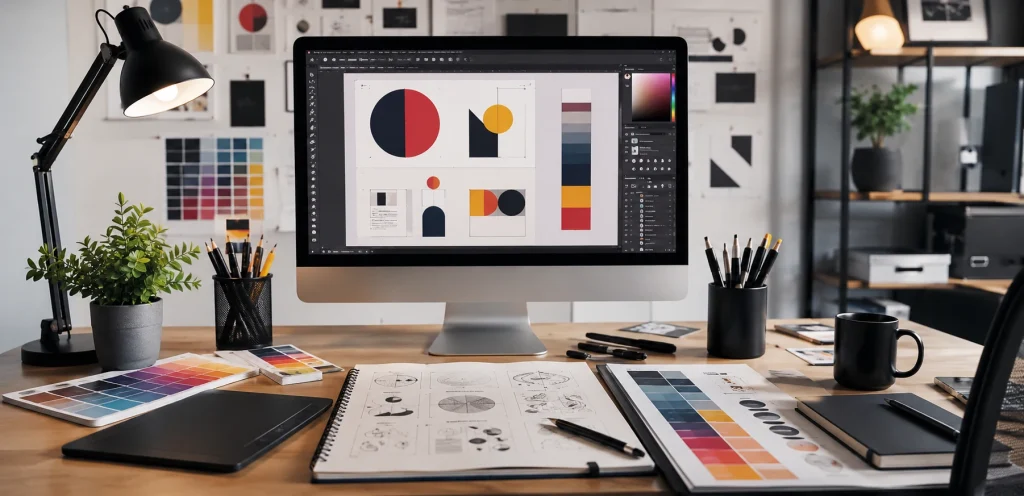
Table of Contents
What Is Graphic Design?
Graphic design is the process of combining visual elements to communicate a message or idea.
Designers use elements such as:
- Typography
- Colors
- Images
- Shapes
- Lines
- Icons
- Space
- Layouts
The purpose is not simply to make something look attractive. Good graphic design should communicate information effectively and guide the viewer toward the intended message or action.
Basic Concept of Graphic Design
The basic concept of graphic design is visual communication.
A successful design combines creative thinking with practical communication. Before creating a design, you should understand what the design needs to communicate, who will see it, and where it will be used.
For example, a social media advertisement may need a different layout from a business card because the audience, screen size, and purpose are different.
Basic Fundamentals of Graphic Design
Understanding the basic fundamentals of graphic design is essential for beginners.
Some of the most important fundamentals include:
Balance
Balance distributes visual weight throughout a design. It can be symmetrical or asymmetrical.
Contrast
Contrast helps important elements stand out by creating differences in size, color, shape, or typography.
Alignment
Alignment creates structure and makes a design easier to understand.
Hierarchy
Visual hierarchy tells viewers which information they should notice first, second, and third.
Proximity
Related elements should generally be positioned close together so viewers understand their relationship.
Repetition
Repeating colors, fonts, shapes, or other elements creates consistency and strengthens visual identity.
White Space
White space gives design elements room to breathe and can make a layout cleaner and easier to read.
Basics of Graphic Design: Essential Elements
The basics of graphic design also include understanding the fundamental visual elements.
Lines
Lines can divide sections, create direction, or guide the viewer’s eye.
Shapes
Shapes can organize information and add visual interest.
Color
Color can communicate emotion, establish brand identity, and create contrast.
Typography
Typography determines how written information looks and feels.
Images
Images can communicate ideas quickly and support the main message.
Space
Space separates elements and prevents a design from becoming visually crowded.
Basic Graphic Design Terms Beginners Should Know
Learning basic graphic design terms makes it easier to understand tutorials and communicate with other designers.
Some useful terms include:
- Typography: The design and arrangement of text.
- Font: A particular style or design of lettering.
- Layout: The arrangement of elements within a design.
- Contrast: Differences between visual elements.
- Hierarchy: The order in which information attracts attention.
- Alignment: Positioning elements in relation to each other.
- White Space: Empty or open space surrounding design elements.
- Composition: How different elements are arranged together.
- Brand Identity: The visual representation of a brand.
- Vector: Graphics that can generally be scaled without losing quality.
- Raster: Pixel-based graphics commonly used for photographs and digital images.
Basic Graphic Design Examples
Beginners can learn a lot by studying basic graphic design examples.
Common examples include:
Social Media Graphics
Posts, stories, advertisements, and promotional graphics.
Business Cards
Small printed designs containing business and contact information.
Flyers
Promotional materials used to communicate an offer, event, or service.
Logos
Visual marks used to identify a company, organization, or brand.
Posters
Large-format designs created to communicate information or promote something.
Website Graphics
Banners, icons, illustrations, and other visual elements used on websites.
Studying these examples can help beginners understand how different design principles are applied in real projects.

Basic Steps for Graphic Designing
Following basic steps for graphic designing can make the design process easier.
Step 1: Understand the Purpose
Before opening your design software, determine what you need the graphic to achieve.
Ask:
- What is the main message?
- Who is the target audience?
- Where will the design be used?
- What action should the viewer take?
Step 2: Collect Requirements
Gather the necessary information, images, logos, brand colors, text, and other assets.
Step 3: Create a Rough Layout
Plan where the major elements will go before focusing on small details.
Step 4: Choose Typography
Select fonts that match the brand and remain easy to read.
Step 5: Select Colors
Use a suitable color palette that supports the purpose and brand identity.
Step 6: Add Visual Elements
Add images, icons, shapes, illustrations, or other relevant elements.
Step 7: Create Visual Hierarchy
Make the most important information visually prominent.
Step 8: Review the Design
Check spacing, alignment, readability, contrast, and consistency.
Step 9: Export Correctly
Choose the appropriate file format and dimensions based on where the design will be used.
Basic Graphic Design Tools
There are many basic graphic design tools available for beginners.
Some popular categories include:
- Graphic editing software
- Vector design software
- Online design platforms
- Photo editing applications
- Typography tools
- Color palette tools
- Image resources
Beginners should focus on learning the principles of design rather than relying entirely on software features.
A designer who understands composition, typography, color, and hierarchy can adapt to different design tools more easily.

Basic Tools for Graphic Design
The basic tools for graphic design depend on the type of work you want to create.
For example:
Logo and Vector Design
Vector-based software is useful for creating scalable logos, icons, and illustrations.
Photo Editing
Image editing software can be used for photographs, advertisements, and visual compositions.
Social Media Design
Online design platforms can help beginners create social media posts and promotional graphics.
Typography
Font libraries and typography tools can help designers explore appropriate typefaces and combinations.
The best tool is the one that supports your workflow and project requirements.
As a Graphic Designer, What Should I Know?
If you are asking, “as a graphic designer what should I know?”, start with the fundamentals before focusing on advanced techniques.
You should understand:
- Design principles
- Typography
- Color theory
- Composition
- Layout
- Visual hierarchy
- Branding
- Image selection
- File formats
- Basic design software
- Audience psychology
- Communication
You should also learn how to receive feedback and revise your designs. Professional design is often an iterative process rather than a one-time creation.
Important Aspects of Graphic Design
The major aspects of graphic design include both creative and practical considerations.
Communication
The design should communicate the intended message.
Creativity
Creative thinking helps designers develop original and engaging visual solutions.
Consistency
Consistent design elements help establish a recognizable visual identity.
Usability
Design should be easy for the intended audience to understand and use.
Purpose
Every major design decision should support the objective of the project.
Core Graphic Design Principles
The core graphic design principles provide a framework for creating effective visual communication.
The most important principles include:
- Balance
- Contrast
- Alignment
- Repetition
- Proximity
- Hierarchy
- White space
- Consistency
These principles work together rather than independently. For example, good typography combined with hierarchy and contrast can make important information easier to notice.

Building Blocks of Graphic Design
The building blocks of graphic design are the visual components used to construct a design.
These include:
- Lines
- Shapes
- Colors
- Typography
- Images
- Texture
- Space
Learning how these elements interact is one of the first steps toward becoming a better designer.
Components of Graphic Design
The components of graphic design can be divided into visual elements and organizational principles.
Visual elements include:
- Color
- Shape
- Line
- Texture
- Image
- Typography
- Space
Organizational principles include:
- Balance
- Contrast
- Alignment
- Hierarchy
- Proximity
- Repetition
Together, these components help transform individual elements into a cohesive visual composition.
Characteristics of Graphic Design
Effective graphic design typically has several important characteristics.
Clear
The viewer should understand the primary message.
Relevant
The design should fit its audience and purpose.
Consistent
Colors, typography, and visual elements should work together.
Balanced
The composition should feel organized rather than chaotic.
Readable
Text should remain easy to understand.
Purposeful
Visual elements should contribute to the communication goal.
Characteristics of Good Graphic Design
The characteristics of good graphic design go beyond visual attractiveness.
Good design should:
- Communicate clearly
- Have a strong visual hierarchy
- Use appropriate typography
- Maintain good contrast
- Have balanced spacing
- Match the brand
- Consider the target audience
- Support a specific objective
A beautiful design that fails to communicate its message is not necessarily an effective design.
Before Creating a Graphic, You Should Ask These Questions
Before creating a graphic you should understand the project requirements.
Ask yourself:
Who Is the Audience?
Knowing your audience helps determine the appropriate visual style.
What Is the Purpose?
Determine whether the design is intended to inform, promote, educate, sell, or build awareness.
What Is the Main Message?
Identify the most important information before adding secondary details.
Where Will It Be Used?
A website banner, Instagram post, printed flyer, and billboard all have different requirements.
What Are the Brand Guidelines?
Check the brand’s colors, fonts, logo usage, imagery, and overall visual style.
What File Format Is Required?
Digital and print projects may require different dimensions and file formats.
Common Graphic Design Mistakes Beginners Make
Beginners often make avoidable mistakes while learning design.
Using Too Many Fonts
Using many unrelated fonts can make a design look inconsistent.
Overloading the Design
Adding too many elements can make the message difficult to understand.
Poor Contrast
Text with insufficient contrast may become difficult to read.
Ignoring Alignment
Randomly positioned elements can make a layout look unprofessional.
Using Low-Quality Images
Poor-quality images can reduce the overall quality of the design.
Forgetting the Audience
A design should be created for its intended audience rather than only according to the designer’s personal preference.
How Beginners Can Improve Their Graphic Design Skills
Practice is one of the most effective ways to improve.
Start by recreating simple layouts for practice, then experiment with your own ideas.
You can also:
- Study professional designs
- Practice typography
- Learn color combinations
- Experiment with layouts
- Create social media graphics
- Design simple logos
- Request feedback
- Build a portfolio
- Study design principles regularly
The goal is not to copy other designers for commercial use but to understand how effective designs are structured.
Final Thoughts
Learning graphic design becomes much easier when you start with the fundamentals. This beginner guide to graphic design covers the core concepts, essential elements, terminology, tools, principles, and practical steps that beginners should understand.
Focus first on typography, color, composition, hierarchy, alignment, contrast, spacing, and communication. Once these fundamentals become familiar, learning advanced software and techniques becomes much easier.
Remember that effective graphic design is not simply about making something attractive. It is about using visual elements strategically to communicate a clear message to the right audience.
Frequently Asked Questions
What should a beginner learn first in graphic design?
Start with design principles, typography, color, composition, hierarchy, alignment, contrast, and spacing before moving into advanced techniques.
What are the basic elements of graphic design?
The basic elements include lines, shapes, color, typography, images, texture, and space.
What tools do beginner graphic designers need?
Beginners can start with an appropriate graphic editing or online design platform and gradually learn more specialized tools as their skills develop.
What makes good graphic design?
Good graphic design is clear, relevant, readable, balanced, consistent, visually organized, and aligned with its intended purpose.
What should I do before creating a graphic?
Before creating a graphic, understand the purpose, audience, message, platform, brand requirements, dimensions, and file format needed for the project.